Showing posts with label office life. Show all posts

Monday, October 2, 2017

Office Ergonomics: Simplicity Is The Key To Comfort

Simplicity Is The Key To Office Comfort
People buy office products for 2 reasons, style and comfort. If your products are complicated and leave you feeling frustrated when you try to use them, the odds are you're not getting your money's worth. That's why simplicity is key. Overly high tech products with intensive learning curves can certainly be cool, but for most their not practical.

You should always be looking for ways to improve office comfort. That said, you don't want to try to incorporate too many "ergonomically correct" gizmos and gadgets at one time. It's best to start small, learn how to use products correctly, and then expand your arsenal as needed to become more productive in the workplace.

Simple Office Chair Posture
Office Posture Is Pretty Basic
When you Don't Overthink It!
As office comfort starts with the chair, it's best to invest in a user friendly office seating solution before going all crazy with ergo add-ons. When selecting a chair, there's no substitute for a sit test. If you have a showroom in your area, give it a visit. If you're out and about and see a cool chair in an office or business you're visiting, don't be afraid to give it a try. Most people love showing off their chair!

If you don't have a showroom in your area, that's okay. Product reviews and demo videos are commonly available online. Once a chair has struck your fancy, do your research on it before making a purchase. Reviews will certainly help you make an educated purchase that won't leave you with ergo remorse. The important thing to remember is to avoid purchasing an office chair that's overly complicated and confusing to use.

User Friendly Office Chair
The iDesk Oroblanco Chair Comes With
A Built In Guide For Personal
Adjusting To Keep Things Simple!
When your office chair arrives, assembly it personally. This will give you a great idea of how your personal task chair components work. Once your chair is fully assembled, give it a sit with the owner's manual in hand. Go through all of the chair adjustment features and do your best to commit them to memory. A lot of people have trouble remembering what each chair lever and knob does. For this reason, labeling them is a great idea.

Getting comfortable in your new office chair is all about keeping things simple. You don't have to master your chair in a single day. Just learn and incorporate posture tips as you go. Slow and steady wins the race. Those who try to do to much at one time in the name of comfort often get overwhelmed and give up. Those who take things slow are likely to retain the information they're ingesting and use it when necessary.

Articulating Keyboard Tray
A Good Keyboard Tray Will Help
You Compute Healthy!
The same strategies apply to selecting ergonomic accessories and comfort promoting office components. Don't buy more than one item at a time. This can leave you overwhelmed as we've mentioned before. Start small with something like an articulating keyboard tray. Learn how to adjust the angle at which you type to get comfortable. Then address your remaining areas of discomfort in the workplace.

These days you'll see a lot of folks investing in sit to stand desktop attachments that prevent the need for extending sitting sessions that cause energy dips and posture habits to suffer. If you're thinking of purchasing a sit to stand desk convertor, keep things simple. Don't go for the most complicated unit on the market. It'll likely cost you a small fortune and leave you feeling perplexed when it comes time to use it.

Sit To Stand Desktop Attachment
The S2S Desktop Convertor Reduces Energy Dips
And Improves Posture. 
Alternatively, invest in a user friendly riser or even a sit to stand monitor arm that can be easily attached and activated throughout the day. Units like the S2S from ESI Ergonomic Solutions and the Volante from Systematix are excellent options that are very simple and cost effective.

In the long run, even the top rated ergonomic products are only as good as their owner. A slow, steady, and simple approach to comfort will prove beneficial and sustainable. Don't over do it and fall victim to the belief that you need every ergo item on the market to be at your best. In truth, a select few components and a healthy knowledge of how to use them is key.

Thursday, June 22, 2017

How To Fight Fatigue, Back Pain, and Other Office Ailments Effectively

To be at your best in the workplace, you've got to be ready to conquer common office ailments like fatigue, back pain, and even boredom to maintain high productivity levels. That's where we come in. Today on the Office Anything Blog we'll highlight the tips, advice, and product suggestions needed to do just that. Enjoy.!

1.) Fatigue

How To Fight Workplace FatigueConquering fatigue starts with a good nights rest. If you stay up too late watching movies and TV shows, you'll likely arrive at work feeling groggy and drained. Save that stuff for the weekend! If you commit to getting a solid 8 hours of rest during the week, you'll wake up refreshed and with the energy needed to tackle the days tasks.

Before you head out for work, it's important to eat a healthy breakfast. Skip the pancakes and bacon and go with a energy packed fruit bowl and a cup of yogurt. Coffee is okay, but don't over do it. Multiple morning cups of java will certainly wake you up, but when the caffeine wears off fatigue will be ready to strike.

Fatigue can also be battled effectively with good work habits. Avoid sitting for long periods of time without taking a break. When you sit for hours on end in your office chair, blood flow is restricted and muscles start to tighten up. Fatigue is sure to follow. Set a timer to alert you once an hour that it's time to stand up, stretch, and hydrate. Fatigue won't stand a chance.

2.) Back Pain

How To Fight Back Pain At Work
It's no secret that back pain is a productivity killer. That being said, it can be effectively tackled with good posture habits. First and foremost, you'll want to keep your back in contact with your office chair at all times to ensure you're properly supported. Each time you lean and hunch away from your chair to type, your vertebrae is paying the price. If you've invested in a fancy ergonomic chair with good lumbar support, get the most out of it by keeping your back in contact with it as much as possible.

You'll also want to keep your feet placed flat on the ground and facing forward. Using the base of your chair as a foot rest is a big time no-no. This "perching" technique restricts blood flow that leads to fatigue. When fatigue hits, even the best posture habits can break down. This domino affect can then lead to unnecessary back pain.

There's something to be said for selecting the right office chair for your personal needs. If your current chair just isn't cutting it, there are cost effective options on the market to help you fight back pain. Here's 5 of our favorite office task chairs that provide back pain relief available for under $350.00...

  1. Eon by Cherryman Industries
  2. Stratus by OFM, Inc.
  3. Creedence by Woodstock Marketing
  4. Rave by SitWell
  5. Astra by Eurotech Seating

3.) Boredom

How To Fight Office BoredomFighting boredom is easier said than done. When this office ailment strikes, it's definitely hard to regain and maintain focus throughout the day. That being said, boredom is typically a result of inactivity.

If your day is running slow and you don't have a lot of tasks on your plate, consider giving your office space a good cleaning. Go through your personal file cabinet drawers and purge out any unnecessary documents. Clean of your desk and organize your stationary. Vacuum the floors and dust your furniture. Staying active during down times is key!

You can also collaborate with your coworkers. Just because you're not busy, doesn't mean they're not. Lending a helping hand will keep you busy. Hopefully when the tables turn and you're day is full of time sensitive tasks, they'll pay back the favor. This boredom fighting technique is also good for morale.

4.) Visual Strain

How To Fight Visual Strain At Work
It may sound a bit minor, but visual strain is most certainly an office ailment worth discussing. As you stare at your computer screens for hours on end, your eyes pay the price. It's important to stand up, walk away from your desk, and allow your eyes to adjust. The artificial light put off from your computer screens isn't healthy.

You can also fight visual strain effectively by raising your computer screens up to eye level. A simple stack of books or a shoebox will act as an interim solution until you're ready to invest in a professional mount for computer screens that adjusts. With an articulating monitor arm you'll also be able to avoid looking down at your screens when typing. Trust us, your neck will thank you!

5.) Carpal Tunnel Syndrome

How To Fight Carpal Tunnel Syndrome At Work
Last but not least, you need to compute at healthy angles to combat Carpal Tunnel Syndrome. This epidemic affects 5% of today's workforce.

If you're still computing with your keyboard atop your desk surface, it's time to make a switch. Adjustable ergonomic keyboard trays that retract under the desk surface are available from brands like Systematix, Symmetry Office, and ESI Ergonomic Solutions that increase usable operating space while simultaneously providing you with the adjustment capabilities needed to fight CPS throughout your busy work days. Keyboard trays are really the industry standard. Don't fall behind the times. Take action against CPS and type at healthy angles.
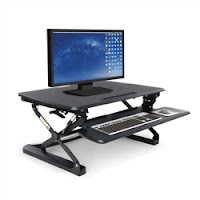
Sit To Stand Desktop Attachment
Do you really want to take your workspace to the next level? Consider investing in a height adjustable desktop attachment that promotes sit to stand operating. Most of today's adjustable risers feature articulating keyboard platforms that will help you fight multiple office ailments simultaneously.

Sit to stand risers encourage continuous movement in the workplace while improving blood flow, reducing fatigue, and providing users with the ability to compute from correct positions. Brands like Symmetry Office and OFM provide some of the best and most cost effective desk risers on the market.

Wednesday, January 4, 2017

5 Ways To Start 2017 With An Ergonomic Bang

As the year begins, most workers are looking for ways to become more ergonomically efficient in. If you want to start off on the right foot, you're in the right place. Today on the Office Anything Blog we'll provide cool product suggestions and tips that will help you skyrocket productivity. Enjoy!

1.) Sit To Stand


Sit To Stand Desktop Riser

First things first, you gotta sit to stand! Working from a seated position for long periods of time is unhealthy. By providing yourself with the ability to work standing up, you'll be able to minimize downtime and maximize productivity. We recommend integrating a sit to stand desktop addition like the 5100 model from OFM, or the Volante from Systematix. These versatile office accessories attach easily to almost any desk surface to improve blood flow and promote continuous movement.

2.) Adjust or Upgrade


Office Chair from iDesk

When you are sitting, do you feel properly supported by your office chair? The odds are, your chair is due for an adjustment. Take the time to pull out your owner's manual and do a quick refresher on your chair features. Optimize the angle and height at which you sit to ensure you're operating effectively.

If you're chair just isn't cutting it, make an investment into productivity and upgrade. Awesome office chairs are available from brands like Eurotech, Offices To Go, and iDesk that will help you kick comfort into overdrive without breaking the bank. In the long run, even the most expensive desk chair is only as good as it's owner. Wether you adjust or upgrade,  you'll need to master your chair features and benefits to be at your best.

3.) Two Screens Are Better Than One


Dual Screen Monitor System

Still operating with a single computer screen on the factory base? End 2016 with an ergonomic bang by making the switch to a dual screen mounting system from a reputable brand like ESI. The articulating monitor arms from ESI provide unparalleled adjustment capabilities that will reduce visual strain and neck pain while simultaneously improving the rate at which you compute and increasing usable desk space.

4.) Post Posture Tips

It's hard to remember how to sit and operate effectively during hectic work days. Studies have shown that making a list of posture tips and posting them within eye sight of your computer screen will keep them fresh in your mind, thus causing you to engage them even when busy!

5 Posture Tips for Improved Operating:

  1. Keep Back In Contact With Chair At All Times
  2. Keep Feet Flat and Facing Forward
  3. Raise Computer Screens To Eye Level
  4. Don't Look Down To Type
  5. Take Short Breaks To Avoid Fatigue

5.) Accessorize


Ergonomic Keyboard Tray

No office space is truly complete without at least a few ergonomic add-ons. While you should't rush out to purchase every popular ergonomic product on the market, you should do a little homework on those with the potential to truly improve your personal effectiveness. If keyboard tray is still sitting on your desk, an articulating system is the perfect place to start. A retractable keyboard tray that raises and lowers will help you compute at correct angles while reducing the risk of Carpal Tunnel Syndrome. In addition, you may consider adding an ergonomic foot rest. While it sounds simple, simple products like a foot rest can yield major productivity results as they improve comfort while eliminating strain. If you can, take the time to visit your physician. Discuss areas of discomfort with them and they'll be happy to make ergonomic suggestions to have your interior properly accessorized in no time.

Tuesday, May 3, 2016

Workplace Ergonomics: Movement Matters

Did you know that sitting for long periods of time can actually shorten your life span? It's true! To avoid this common problem, you've got to keep moving. Continuous movement in the workplace is an absolute must. Movement creates good blood flow and reduces fatigue to help you maintain high productivity levels during those long days at the office.

Your office chair should be treated like a best friend. When used correctly, it's always go your back! Take the time to master your chair and understand it's adjustment videos. If you need a little help, don't be afraid to check out demo videos online. You can also ask the pros! Seating specialists are always happy to provide the ergonomic tips needed to help you achieve a better sit.

This year, Smart chairs are dominating the market. What's a smart chair you ask? Smart chairs are seating solutions that automatically react to user movements and limit the need for constant adjusting with levers and tension knobs. Smart chairs like the 6671-2 model from the Global Total Office Arti seating collection boast articulating backs that mimic the human spine. The Arti will reshape itself and move automatically to mimic your profile.

You can further promote movement in the workplace with an ergonomic monitor mount. Articulating mounts attach directly to desk surfaces and provide a wide range of adjustment capabilities. Today's top computer screen mounts help to reduce visual strain and increase usable desk space by moving your screens where you need them, when you need them.

Fatigue is a productivity killer! A lack of movement in the workplace will have the fatigue monster ready to rear it's nasty head. That being said, it's important to take short breaks as often as possible. Even during busy days, you need to stand up from your desk and walk around a bit. A 10 minute break once per hour will allow your body to readjust while getting the blood flowing.

Take your quest for continuous workplace movement a step further by committing to a deskercise routine. The ability to quickly and effectively use your workstation to stretch should not be overlooked. Deskercise has become incredibly popular in 2016 because it's simple and fun. It's also very beneficial. Stretching gets the blood flowing. Stretching gets you moving. Stretching is a must! Give deskercise a try today.  You'll be glad you did.

The quest for support and comfort is never complete! In the long run, movement in the workplace is a must. To become ergonomically correct, you need to move, and so do the products around you. Good posture habits, a quality office chair, and short breaks will set you on course for improved life in the office.

Friday, January 22, 2016

5 Ergonomic Tips for 2016

Ergonomic Tips for 2016It's time to kick those bad posture habits to the curb. Make 2016 the most comfortable and productive year ever with the help of modern ergonomics. In today's post we're highlighting 6 simple and easy to follow tips to help you achieve improved performance in the workplace. Put these tips to use and form the good habits needed to dominate 2016.

1.) Work Standing Up

Sit to stand products are the latest craze. Wondering why? As sitting for long periods of time can actually shorten your life span, it's important to promote continuous movement in the workplace as much as possible. That's where sit to stand products come in. A sit to stand desk or keyboard tray will help improve blood flow and reduce fatigue. You'll be operating more efficiently and comfortably throughout the day while simultaneously fighting back against office health risks that are looking to bring you down.

2.) Use A "Smart Chair"

Even the most luxurious and expensive ergonomic chair is only as good as it's owner. If you don't put your chair adjustment features to use, you'll gain little support and find yourself wondering why discomfort is still playing a key role in your work day. As most chair operators hate having to pull levers and adjust tension knobs to find the correct sitting position, industry leading seating manufacturers have introduced "smart chairs" that reduce the need for constant adjusting. Smart chairs make finding comfort a breeze. Cutting edge smart chairs like The 6671-2 model from the Global Total Office Ari collection articulate like a human spine and mimic the user's profile.

3.) Reduce Eye Strain

It's hard to work effectively if you're constantly rubbing your eyes and fighting blurred vision. Let's be honest, starring at a computer screen all day long is a problem. That being said, it's likely unavoidable for those looking to keep their jobs. A simple screen filter can be picked up at your local office store. It's a good place to start. To take things a step further, we highly recommend attaching an articulating monitor arm to your workstation. Visual strain can be quickly reduced by raising your computer screen to eye level. An articulating monitor mount will help you tackle this task in minutes. If funds are tight, don't skip this tip. Just use a stack of books or magazines to raise your screens. You can make the switch to a professional monitor arm when you're ready, but do what you can to fight visual strain in the mean time!

4.) Promote Good Blood Flow

When blood flow is reduced, you're muscles can cramp and "fall asleep". We've all had it happen, and it's no fun. Luckily, there are some great ways to fight back. First and foremost, work with your feet facing forward and flat on the ground. Don't cross your feet or prop them up on the base of your office chair like a foot rest. In addition, you can promote good blood flow by using an ergonomic task chair with a waterfall seat edge. When all else fails, take short breaks! Stand up from your desk. Shake out those muscles. Walk around for a few minutes, and get the blood flowing before returning to your workstation.

5.) Use Posture Reminders and Ergonomic Tips Charts

Studies have shown that workers who placed a list of tips and reminders within eye sight of their computer screen yielded positive results. The best part, it's free! Print out a list of good posture tips and ergonomic reminders today to start forming the good habits needed to operate at peak performance levels in the workplace. We've provided a few of our favorite tips to help.

Helpful Workplace Tips:

  • Keep Back In Contact With Chair At All Times
  • Don't Hunch Over Keyboard Tray To Type
  • Keep Feet Flat On Ground And Facing Forward
  • Take A 5 to 10 Minute Break Once Every Hour
  • Keep Computer Screen At Eye Level
  • Don't Look Down To Type
  • Compute At Correct Angles

Wednesday, January 6, 2016

7 Ergonomic New Year's Resolutions for 2016

Ergonomic New Year's Resolutions for 2016
The new year is upon us. While you'll likely be committing to laying of fried food, exercising more, and watching less TV, it's also important to focus on being more efficient, comfortable, and healthy in the workplace. In today's post we'll highlight 7 ergonomic resolutions that are sure to help you do just that. Enjoy!

1.) Don't Slouch

Every time you lean forward and away from your chair back, you're missing out on major ergonomic benefits. Be sure to maintain constant contact with your chair back while computing at your desk. Doing so will help you reduce fatigue and muscle stiffness that can quickly put a damper on your work day. Don't be afraid to adjust the angle of your office chair back multiple times throughout the day! 

2.) Keep Computer Screen At Eye Level

Many of us look down at our computer screens all day when typing. This angle is really bad for the neck! To avoid this common problem, raise your computer screen to eye level. The integration of an ergonomic monitor arm will solve this problem. If you're tight on funds, don't worry. A stack of books or magazines can get the job done too. This quick fix resolution is a must for 2016!

3.) Keep Feet Flat and Forward

Don't extend your legs and cross your feet out in front of your while working. You'll also want to avoid using the base of your office chair as a foot rest. These bad habits have got to stop! Commit to operating with your feet facing forward and flat on the ground in 2016. You'll feel more stable and you won't be limiting blood flow. You'll also be effectively fighting back against common aches and pains caused from improper sitting posture.

4.) Avoid Extended Sits

Did you know that sitting for long periods of time can actually shorten your life span? Extended sits are no joke! Be sure to take a short break every hour in 2016. Get up from your desk, allow your eyes to adjust, and take a short walk. Stretch out those muscles and return to your workstation in comfort.

5.) Utilize Ergonomic Tools

The right combination of ergonomic tools will make you more efficient and effective in 2016. A CPU holder will provide you with additional knee space. It will get your computer's power source up and off the ground so that you don't have to hunch over to turn it on and plug in devices. An articulating keyboard tray will help you compute at correct angles and avoid office epidemics like Carpal Tunnel Syndrome. A sit to stand ergonomic desk will help promote continuous movement in the workplace while simultaneously improving blood flow. The utilization of ergonomic tools will require a financial investment. That being said, you'll recapture those funds through improved comfort, health, and productivity over the long term.

6.) Master The Office Chair

Even the most expensive office chair is only as good as it's owner. You have to take the time to master your chair and it's features in 2016. Today's office chairs come equipped with adjustment features aplenty. If you don't take the time to understand their benefits and put them to use, you'll be lacking in terms of comfort. Watch ergonomic chair demo videos online, read product reviews, and don't be afraid to push your chair to the limits. Don't take a "set it and forget it approach" with your chair. Master the functions and controls so that you're ready to properly adjust at a moments notice to meet the specific demands of any particular task.

7.) Spread The Word

Make it a point to spread the word about the benefits of ergonomics in 2016. Share tips and tricks that have worked for you to help out your fellow coworkers. If you hear your work family discussing areas of discomfort, don't be afraid to speak up with a solution. It's our duty to share and help others achieve a comfortable work day.

Tuesday, January 5, 2016

6 Cures For A Holiday Hangover at Work

How To Cure A Holiday Hangover At WorkFamily has come to town, meals have been cooked, and the house has been repeatedly cleaned. The 2015 holiday season has left many of us exhausted. The overwhelming fatigue can leave us with a major hangover that will no doubt transfer into our work lives if we're not careful. Luckily, we've got 6 surefire cures to help you transition into the new year. Enjoy!

1.) Get Good Rest

Hangovers of any kind are cured with good rest. Your body is no doubt tired from all the holiday festivities. Over the next couple of weeks, commit to going to bed early. Don't stay up late watching TV and movies that can be seen on the weekend. Tuck yourself in around 9:00 and allow your body and mind to recharge effectively.

2.) Eat Healthy

The words holiday and healthy don't often get mentioned in the same sentence! As we've all been pounding pie and gorging on baked delicacies, it's time to get back to eating healthy. We typically expect to gain a few pounds in November and December, but January is a time for getting our lives back on track. Don't start off your mornings with a donut this month. Instead, consider healthy alternatives like fruit and yogurt. Skip the burger and fries at lunch and go with a tasty salad. Provide your body with the nutrition it needs to fight the holiday hangover and shed those unwanted pounds. Instead of eating lunch at your office desk alone, take your lunch outside and get some fresh air. It will do you good!

3.) Exercise

It's hard to get back into exercise mode after the holiday season. That being said, exercise is a great way to fight back against the holiday hangover that's no doubt got you down. Did you know you can exercise right at your desk? It's true! This popular activity is better known as deskercise! There's lot's of simple stretches and workplace activities you can do to get the blood flowing. Doing a little stretching once a day at the office will help you fight fatigue and combat workplace discomfort. Use your office chair or desk as a stretching station for about 15 minutes in the morning and again after lunch. You'll no doubt find yourself all the better for it!

4.) Make A Work Plan

Don't rush through your day without a plan. This is bound to leave you flustered and equally frustrated. When you arrive at work, sip your cup of coffee while creating a plan of attack for the day. Write down a list of daily goals and estimated competition times. Mark your tasks off one by one and enjoy a sense of renewed vigor and accomplishment. An effectively plan will keep you on track and ahead of the curve. Leave the holiday hangover in December by being well organized and efficient.

5.) Commit To Ergonomics

Leave no doubt, workplace ergonomics will be bigger than ever in 2016. A solid commitment to good posture and ergonomic practices will help you tackle your work day in comfort. Take the time to master your ergonomic chair and it's features. Doing so will have you ready, willing, and able to adjust at a moments notice. Don't take a "set it and forget it" approach to your workstation. Integrate popular ergonomic office tools like a monitor arm, sit to stand keyboard tray, and CPU holder. You'll see an increase in productivity and a decrease in fatigue. For those looking to fight back against a holiday hangover, what could be better?

6.) Get Organized

Start the new year off right by organizing your personal workstation. Rid your file cabinet of old and outdated materials. Organize your desk top and remove the clutter. Take the time to vacuum under your desk. There's no doubt some leftover holiday crumbs that have no business under your feet in 2016. In the long run, a well organized workspace will have you more effective and productive in the new year.

Thursday, December 10, 2015

'Tis The Season To Get Comfortable!

This month, top rated furniture and seating brands like Global Total Office, Eurotech, and Cherryman are making it easy to get comfortable. These industry leaders have raised the bar with their innovative ergonomic chairs and high tech workstations. In today's post we'll highlight awesome office solutions designed to improve functionality, efficiency, and of course, comfort!

Global Total Office Solar Mesh ChairLooking for a do-it-all furniture and seating provider to help make your office interiors the best they can be? Turn to Global Total Office! This world renowned brand takes pride in crafting top of the line ergonomic seating and height adjustable workstations. This month Global has taken their talents to the conference room. The all new Solar mesh chair provides space saving benefits and user friendly friendly features that are guaranteed to have your meeting guests sitting pretty.

Sit To Stand Foli Table
Global also gave us amazing new height adjustable desks and tables in 2015. Collections like Foli encourage continuous movement in the workplace. Foli stations improve blood flow while simultaneously reducing fatigue. As sitting for long periods of time can actually shorten your life space, get comfort and more effective this season with a sit to stand desk!

Nuvem Executive ReclinerSettling for discomfort in the workplace will result in major productivity drops. When you get a little tired or fatigued, it's nice to kick your feet up and relax. Chairs like the Nuvem from Eurotech Seating will allow you to keep up with your daily tasks, while reclining in comfort. The Nuvem chair is unmistakably bold and equally modern. It's easy to picture this cutting edge Eurotech product in executive office interiors and upscale man caves. Don't you think the Nuvem would make the ultimate fantasy football command center? With it's adjustable tablet arm and ottoman, you can adjust your roster, get a little work done, or take a short nap all in the same place. To make a long story short, the Nuvem rocks!

iDesk Chair by Cherryman
During the holiday season, funds are typically tight! It's nice to know that brands like Cherryman Industries make it easy to get comfortable on a budget. Cherryman's new iDesk Ambarella office chair costs just $206.50 and boasts many of the same great features found on chairs nearly 5 times the price. The Ambarella features adjustable T shaped arms, a multi functional mechanism, and built in guide for personal comfort. The Ambarella is hands down the best buy of 2015!

Dual Monitor Arm
Have you ever purchased a product and wondered how you ever lived without it? That's how you'll feel about the EZKC2 dual screen monitor arm from Mayline. While most of today's post has been devoted to keeping your back comfortable, we thought it would be nice to show you a great way to keep your eyes and neck comfy as well. The EZKC2 monitor arm allows users to mount two computer screens. This will increase the rate at which you compute while simultaneously increasing the amount of usable desk space available at your work station. A dual screen mount like the EZKC2 will allow you to raise your computer screens to eye level. This simple practice will reduce eye strain and help you compute effectively without looking down. Give a dual screen monitor mount a test run and you'll never settle for anything less.

Articulating Keyboard Tray
Are your hands a little sore from carving turkey, wrapping presents, and hanging Christmas lights? Rest assured, you're not alone. Give your digits a break with an articulating keyboard tray. The ability to compute at the correct angles will relieve stress while you work. While basic retractable keyboard trays were the industry standard just a few short years ago, the industry has drastically moved onto bigger and better things! A good articulating keyboard tray will provide you with a wide range of adjustments needed to ensure you avoid health risks like Carpal Tunnel Syndrome. We recommend the best selling models from brands like ESI Ergonomic Solutions, Symmetry Office, and Systematix.

CPU HolderHunching over to turn on your computer every morning is bad for the back! Taking those countless trips underneath the desk to route wires and plug in devices can be completely avoided with an under mount CPU holder. Get your computer's power source up off the ground and out of the way. Stop banging knees on your CPU and provide yourself with a little room to operate in comfort. A CPU holder will attach underneath your desk surface on a retractable glide track. You'll be able to slide it into position when needed, and out of the way when not. This is yet another product you'll wonder how you ever lived without.

Tuesday, October 13, 2015

Office Life: Taking Ergonomics Seriously

Ergonomics In The WorkplaceIt can be hard to take ergonomics serious in the workplace. These days, ever product on the market seems to bear the ergonomic label. Never the less, being ergonomically correct is a big deal. If you want to operate comfortably and at peak performance levels in the workplace, you'll need to take ergonomics seriously. In today's Office Life article we'll highlight ways that you can become more ergonomically efficient. Take control of your work day with the tips provided here!

We all know that ergonomics is important. That being said, we often struggle with bad habits that keep us from being at our best. The biggest ergo killer in the workplace is bad posture. Sitting incorrectly in your office chair will make you susceptible to back pain and major health issues. If you truly want to solve the posture epidemic, you can't be afraid to regularly adjust your office chair.

Most ergonomic specialists will tell you to adjust your chair multiple times throughout the day to meet the demands of any specific task. Need to turn on your computer, don't bend over and strain yourself to do it. Simply lower your chair height! Getting something out of your overhead hutch? Don't over extend to get it. Raise your chair seat to make it more accessible.

There are other key adjustments that must be mastered if you want to improve posture and take ergonomics seriously. First and foremost, don't slouch in your chair or hunch over your keyboard tray to type. When seated, keep you back in contact with the chair at all times. This may require multiple adjustments, but the benefits gained are well worth it. Let's put it this way, you can have the most expensive ergonomic office chair on the planet, but if you lean away from it's primary support center when working, it will provide minimal benefits.

You'll also want to keep your head aligned with your computer screen while working. Avoid looking down at the screen when typing. In most cases, this simple tip will require you to raise your monitor height. You can purchase an articulating monitor arm to make things easy, If funds are tight, use a box or stack of books. It may not look fancy but at least you'll be saving yourself from neck pain and eye strain!

Ever sit with your legs propped up on the base of your office chair? How about with your feet crossed? These are bad habits you need to fix quick. When operating at your desk, be sure to keep your feet facing forward and flat on the ground. This will improve blood flow and reduce fatigue throughout the day. It's also a great way to show you're taking ergonomics seriously!

Last but not least, take the time to get up from your workstation once every hour. As sitting for long periods of time can actually reduce your life space, this is one tip you don't want to skip. Stand up, take a deep breath, and stretch for a minute or two. Walk around and stay loose! Don't allow your muscles to tighten up on you when working. Staring at that computer screen for long hours is certainly no good. Standing up and taking a short break will allow your eyes to readjust properly.

Let's be honest, posture tips are hard to remember when your in the middle of a busy project at work. To help, make a tip chart and place it within eye site of your workstation. Studies have shown that this simple practice yields major results.

Taking ergonomics seriously in the workplace doesn't mean you'll need to invest large sums of money. Most of the best ergonomic office accessories on the market cost around two hundred bucks, and you don't need them all at once.

Start with a good office chair. We recommend the Cherryman Industries iDesk Ambarella chair for shoppers on a budget. It's available now for just $206.50. Next, get your keyboard off the surface of your desk. Purchase an articulating keyboard tray to free up desk space and keep you computing at correct angles. Additional products like a dual screen monitor mount will help you reduce eye strain and the rate at which you compute. Excellent models are available from brands like Global Total Office, ESI, and Symmetry Office. Purchasing ergonomic products one at a time will provide you with the time needed to master each before purchasing another.

In the long run, if you take ergonomics seriously you'll be improving life in the office. You'll be more comfortable. You'll be more productive. You'll be more effective. When combined, these three valuable attributes mean you'll be more happy, and that's what it's all about. Take the time to make ergonomics a priority. You'll be glad you did.

Thursday, October 8, 2015

Office Organizing: Tricks Of The Trade

Office Organizing TipsNo workspace can operate at peak performance levels without being well organized. Good organization starts with a good plan and great habits. In today's post we'll share the tips, tricks, and product suggestions you'll need to achieve both. Enjoy!

Start With A Deep Cleaning

It always helps to start fresh! Take the time to give your office a thorough cleaning. Take out the trash, organize your file cabinet and desk top. Vacuum underneath your desk to get rid of all those old candy wrappers and crumbs. In the long run, it will be much easier to form new habits if you start your organizing mission with a clean space.

Create A Plan

Your office organizing will be much more effective if you have a plan. Once your space has been thoroughly cleaned, write down a list of areas that will need tending to both daily and weekly. Prioritize your list and tackle them one by one as the day goes on. Check out the sample list below to get you started.

  • Take out trash
  • Vacuum floor
  • Organize files
  • Organize desk top

Form Good Habits

Sure a plan of attack will help, but you've got to be wiling to form the habits necessary to stay well organized. The weekly organizing routine you create should be one you can realisticly stick too. Get in the habit of putting files back in their place when your done using them. This well help you avoid spending too much time at the end of the day putting them back in their place. Commit to never leaving your office in a messy state. This will ensure you arrive back to work the following day with a clean work environment that's ready to roll. Good habits like this will set you on the path to organizational success.

Use The Right Storage Solutions

Perhaps your office space is poorly organized because your simply out of room. If this is the case, there's definitely some great ways to tackle the problem. Ditch the potted plants and room aesthetics that provide little value in an overly crowded space. Replace them with versatile storage solutions. A wall storage cabinet or bookcase will provide the same appeal while keeping your stationary and important literature well organized.

If you're limited on floor space, take to the walls! Hutch units are a great way to maximize organizing space. These handy tools mount directly to the wall or sit on top of desk surfaces. It's likely that a hutch to match your current office furniture collection is available. Adding a wall mount hutch will increase visual appeal while rewarding you with the additional space needed to keep your office functioning properly.

If you're still in need of organizing space, consider the addition of a mobile file pedestal. These space saving storage solutions can be situated directly underneath desk and credenza surfaces or along perimeter walls. Pencil Box File and File File pedestal options are widely available from top rated manufactures like Global Total Office, Mayline, and Cherryman Indsutries.

Follow Through

Once your office space is well organized, you've got to follow through. Don't slip back into old habits and let important tasks go unattended to for months at a time. It's never fun to spend hours looking for a document that's out of place or buried under a sea of paperwork. Hold yourself accountable and your work day will be all the better for it.

Additional Tips

  • Keep track of file cabinet keys to ensure you can always get to your important documents when you need them.
  • Lock or password protect all physical and digital files for security purposes. 
  • Be sure to keep your digital files properly organized as well. Create thumbnails on your home screen to help.
  • Purge old files and documents to ensure your drawers do not become overly crowded.
  • Establish task areas that are defined by the type of activity that happens in each zone of your office space. For example, your main workspace would be the desk while your reference area would be where your file cabinets are located.
  • Keep the items most commonly used throughout the day the closest to your desk to avoid unnecessary trips across the office. 
  • Make a list of daily work goals you hope to accomplish by certain times.

Friday, August 7, 2015

Life In The Office: 5 Storage Products You've Got To Have

If your workspace is cluttered and unorganized you can't operate a peak performance levels! That being said, in today's post we'll highlight the storage products you'll need to maintain a well organized space designed for optimal effectiveness. From wall cabinets to desk top organizers, the storage products highlighted here are must haves for any professional workspace.

1.) Wall Cabinet


Wall Cabinet

Placing a wall cabinet on the perimeter of your office will enhance appeal and improve organizing potential. Popular wall cabinets are available to match most casegoods furniture collections from brands like Global Total Office, Mayline, Cherryman Industries, and Offices To Go. In addition to interior storage space, the surface of your new wall cabinet can be used to showcase important literature and materials provided to office visitors throughout the workday.

2.) Hutch


Medina Hutch

Limited on floor space? Get an overhead hutch unit! These smart office storage solutions can mount directly to office walls or be used on top of credenzas. U shaped office desks commonly include overhead hutch units, but if your current space is without there's no need to fret. Top brands offer hutches that are sold individually to help you maximize  your storage needs. The modern hutch cabinets available in 2015 typically feature shelves and glass doors that will make your workspace pop while simultaneously helping you to stay more organized.

3.) Pedestal


Desk Pedestal

Desk pedestals are a must for any professional workspace. These handy little units keep important documents close when you need them. Mobile pedestals are the preferred option as they can be rolled underneath desk and credenza surfaces when not in use, then easily slid out when contents are required. The two main pedestal styles available are box box file and file file. We recommend one of each. While suspended pedestals are also available that mount underneath work surfaces, they offer limited storage space and are a bit of a pain to install. Go with a full sized mobile pedestal for your office. You'll be glad you did! In addition, many top brands offer desk storage pedestals with padded tops to provide an extra seat when needed. Now that's versatility!

4.) File Cabinet


File Cabinet

File cabinets are the lifeblood of the business world. Used to keep important documents well organized and secure, a good file cabinet is hard to beat. As the most popular storage solution available on the market, a quality file cabinet from Global Total Office, Mayline, or Cherryman Industries, will look great for years and keep your space properly organized. Vertical file cabinets were once the preferred choice, but in recent years lateral file cabinets have taken over. Lateral file cabinets are easier to organize and provide more storage space. As a side tip, be sure to go through your file cabinet regularly to ensure it's properly organized. Take the time to purge out old records and unnecessary documents to maximize your storage space. All too often business professionals feel limited on storage space, only to find they've been securely housing old files from ten years ago.

5.) Desk Organizer


Desk Organizer

A good desk organizer is worth it's weight in gold. With the ability to house mail, a few important documents, and stationary tools, a desk organizer will help you stay on task and ahead of the game. In the long run, a well organized work surface will set you up for success. Don't let pens, notes, and paper clips dominate your desk top! They'll kill productivity and create stress. Use a desk top organizer in 2015. You'll be glad you did!

Monday, July 20, 2015

Success At Work: Planning Makes Perfect!

A well planned work week will set you up for success. From getting good rest to staying well organized, planning plays a key role in improving productivity and effectiveness in the office. In today's post we'll highlight 5 great ways to plan properly. Enjoy!

1.) Plan Rest

Don't stay up all night watching movies and eating junk food. This bad habit is a recipe for an unsuccessful work day. Instead, plan a good sleep schedule that ensures you receive your full 8 hours. Leave the late nights for the weekend! Go to bed early enough that you wake up feeling refreshed instead of slow and groggy. In the long run, a solid work week starts with a good nights rest!

2.) Plan Breakfast

Plan for Success at Work
Most of us skip breakfast because of common excuses like "I'm in too much of a hurry". That being said, if you make breakfast part of your weekly plan, you'll be healthier and more productive for it. The key is to get your metabolism working and your body energized. Even a piece of fruit, multi grain bar, or bowl of cereal will get the job done. If you're too busy to eat at home, make sure you give yourself 15 minutes in the morning to get something in your tummy. Eating breakfast will help wake you up, and provide you with a solid foundation for your work day. Plan for breakfast each week. You'll be glad you did!

3.) Plan Daily Goals

While you're at your desk enjoying your morning breakfast, take the time to write down a list of goals for your day. Next to each goal, write an estimated time of completion. Your goals can be anything form responding to emails, preparing for a presentation, and making sales calls. As simple as your goals may be, planning them out on paper will help you stay on task throughout the day. Don't fly through your workday with no plan. This is sure hinder your effectiveness. As you cross your daily goals off the list, you'll no doubt enjoy little boosts of motivation.

4.) Plan Lunch

If you fail to plan lunch properly, you'll likely find yourself in line at a fast food restaurant ordering the dreaded bacon cheeseburger and french fries. Take the time to plan out your meals each week. If eating healthy is a chore for you, make Friday a cheat day and treat yourself for being good all week. On Sunday night, sit down and come up with ideas for what to eat for lunch. Literally, millions of ideas are available online for easy lunches that won't leave you wanting to take a nap in your office chair when you're finished eating them! If you don't like bringing your lunch to work, you'll likely be visiting a local restaurant. Check out their menu before arriving and make a selection in advance. This will help you avoid making an impulsive food choice with little to no nutritional benefits!

5.) Plan To Organize

If you want to operate a peak performance levels, you'll need to allot a little time each day for organizing. If you clear the days post it notes off your desk and reorganize your file cabinet at the end of each day, you'll be set up for success the following morning. Creating an organizational plan for your workspace is really quite simple. Make a little checklist of tasks to complete before rushing out of the office. Tasks may include taking out the trash, cleaning off your desk surface, reorganizing files, and logging out of password protected accounts on your computer for security. Go down the list and check them off each day. Avoid leaving the office and remembering you forgot to send an important email once your halfway home. This will leave you feeling anxious and stressed out until the next morning. They say, a little organization goes a long way. And we couldn't agree more!


Monday, February 9, 2015

Beating The Odds: Office Discomfort by The Numbers

Ergonomic Office
They say the numbers don't lie, and when it comes to discomfort in the workplace we couldn't agree more. In today's post we'll take a look at some stunning numbers that reflect pain in the workplace. While these stats are clear, we'll provide you with the tips and advice to help you beat the odds in your office!

Lets's start with a big one! Believe it or not 86% of office workers report some form of discomfort in the workplace that's due to their current furniture and equipment. We find this stunning! Have you ever thought to ask your fellow workers about these areas of discomfort? Are you suffering from the same problems? If so, it's time to consider upgrading your office furnishings and integrating the ergonomic products needed to help you find the support you need.

Ergonomic Monitor ArmWomen are dealing with significant health risks directly related to discomfort in the work place. Studies show that 37% of women who sit more than six hours per day are more likely to die prematurely than women who sat just three hours a day. What does that tell us? Ergonomics is important! It also says that we all should take short breaks throughout the workday. Consider taking short walks with your coworkers and stretching during your breaks. You can also try deskercise. That's right, deskercise! There are tons of super easy stretches and healthy activities we can do right behind our office desks to improve our chances of beating the statistics.

Height Adjustable DesksStill need more evidence to convince you of the importance of workplace ergonomics? How about this, 35% of sick days taken away from the office are spend dealing with musculoskeletal injuries. This means that without the correct desks and computer chairs that adjust for our body types, working could be doing us far more harm than we ever though! Evaluating your office needs regularly is absolutely essential if you want to avoid becoming part of that 35%. Start by making a list of factors causing discomfort and tackle them one by one. Consult your physician, speak with your coworkers, and never settle for sub par comfort!

Now for some good news! A staggering 98% of individuals showed signs of better posture when they had constant reminders about their posture while sitting at their desks. This means we should all have a perfect posture chart somewhere in the office. You can print posture tips off the web, print out diagrams, and much more. Give yourself the reminders you need to turn bad practices into good habits!

Height Adjustable TablesThe ergonomic furniture movement is ever growing and products like adjustable height desks are becoming the industry standard. A staggering 87% of workers who use standing height desks reported feeling more energized and comfortable when tackling daily tasks. Standing desks allow users to adjust quickly to meet the needs of any situation. Brands like Global Total Office and Mayline have bolstered their ergo furniture offerings to include standing height desks designed specifically to revitalize blood flow, reduce body stressors, and reduce fatigue. This tells us that standing height desks are not only cool, they are incredibly beneficial!

Last but not least, 66% of people believe that their posture would improve drastically if they had the right ergonomic chair. What this tell us is that chair education is incredibly important. Selecting an office chair based on style is great, but likely won't provide you with the ergonomic features to reach peak performance levels in the workplace. When selecting your chair, don't be afraid to contact your dealer of choice, consult your physician, and search out reviews online. The info found will help you reach an educated purchasing decision for you and your body. Top ergonomic office seating from brands like Global Total Office, Eurotech, OFM, Mayline, and RFM Preferred Seating are no doubt equipped with tons of adjustable features needed to help users stay comfortable. That being said, if you don't take the time to master your chair and it's features, you'll be right back where you started. Adjust regularly, strive for comfort, live longer. It's just that simple! Be proactive about your areas of discomfort in the workplace and beat the odds!

Followers

Blog Archive